
This is what I am working on right now. It is also the clearest evidence of something I want to be direct about: I do rapid, high-fidelity front-end prototyping, and when it needs to be, the output is React-ready code rather than a clickable picture. Everything below is live — you can open the prototype and use it.
Project Overview
What it is
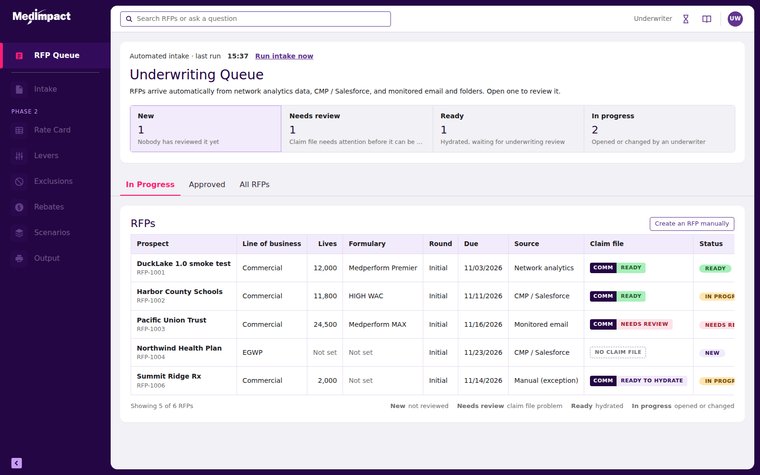
The MedImpact Pricing Tool is an internal application underwriters use to price pharmacy benefit RFPs. Load a prospective client's claim file, price it against rate card and rebate assumptions, review the resulting offer, approve and submit it. The existing tool spread that across manual entry, handoffs between four specialist roles, and an offer buried in drawers and tabs.
What I started with
A mess, which is what a real project looks like before somebody turns it into something. Meeting recordings and transcripts, call notes, a nine-minute screen recording of the current tool, screenshots of the existing reprice workspace, brand mockups, and Figma exports from our design system. No clean specification.
What came out
Thirteen numbered builds, ending in a fully interactive HTML prototype that runs in any browser with no server and no build step. Real queue logic, real claim-file validation, a real approval path. I drove the entire thing through Claude.ai, directing and reviewing while it wrote and tested the code.
And to be straight about it
This deliberately bypassed our normal design process. No Figma frames, no prototype links, no frame-by-frame state building. What it did not bypass was the design system — I rebuilt that as code and applied it to every screen, then checked each build against the Figma frames myself.
Use It Yourself
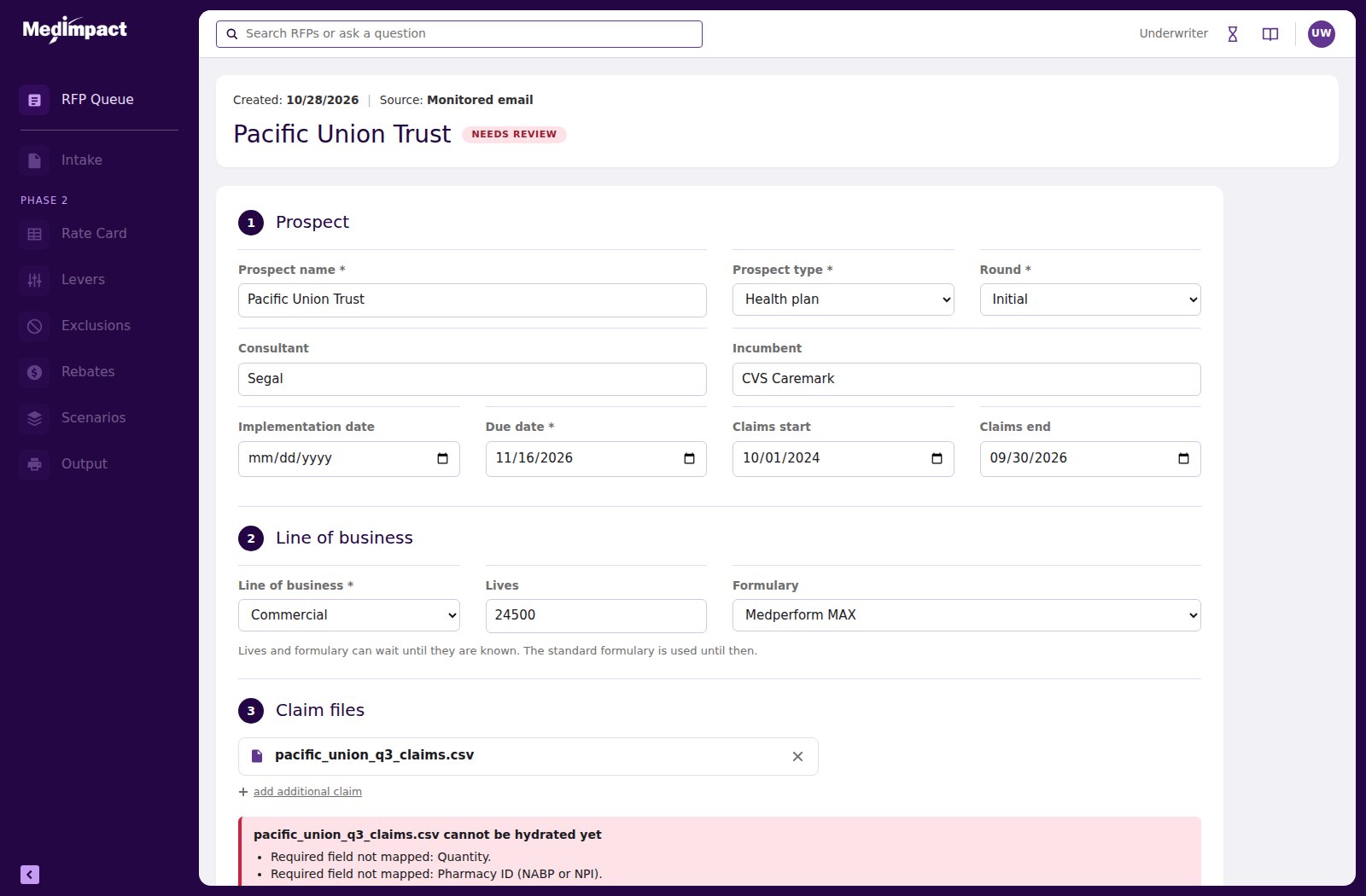
This is the actual prototype, not a recording. Open a Ready item to reach the full offer. Open Pacific Union Trust — it is in Needs review — to fix a broken claim file and pass Re-check. Upload any file you like; it accepts them. All prospect names and figures are fictional.
Open the Live Prototype
Why I Call This React-Ready
The useful question about an AI-built prototype is not whether it runs. It is whether an engineering team can do anything with it afterward. I wrote this one so they can.
One state object, pure render functions
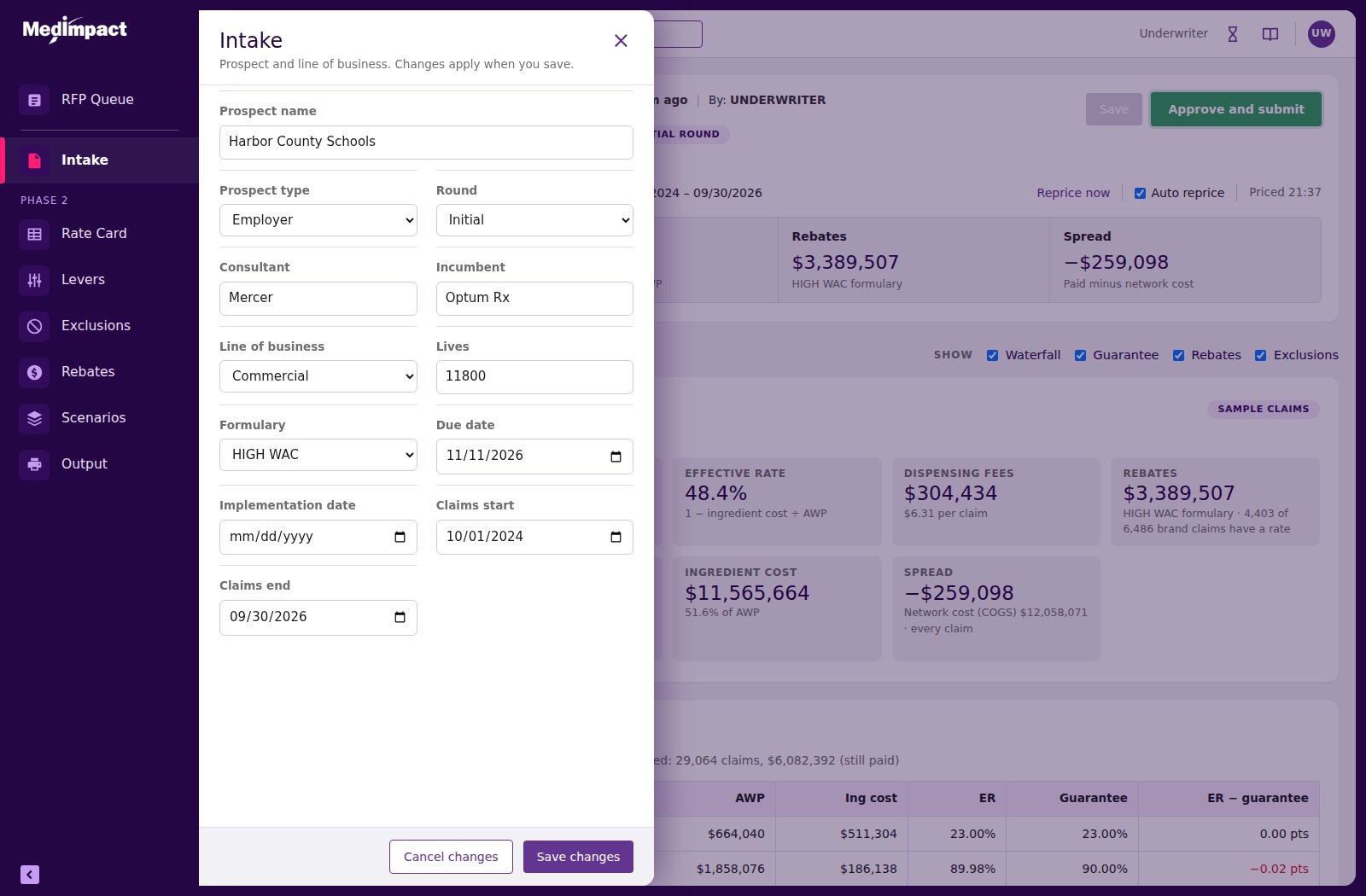
All application state lives in a single object — current view, open record, active filter, open panel, draft edits, the unsaved-changes guard. Eleven render functions read from it and return markup: the navigation, the top bar, the header card, the queue, the intake wizard, the offer body, the slide-over panel. Nothing inspects the DOM to decide what to do next. State changes, everything re-renders from state.
That is React’s model, written in plain JavaScript
Those render functions are component boundaries already drawn. Each takes state and returns UI with no hidden dependencies, so a port is mechanical rather than interpretive: the queue renderer becomes a <Queue>, the panel renderer becomes a <Panel>, and the state object becomes a store or a context provider. The data constants — rate defaults, lever percentages, field definitions, panel config — are hoisted out of presentation already, so they move across unchanged.
Design tokens, not hard-coded colour
Twenty-three CSS custom properties carry the navigation plum, the active state, the accent pink, the lilac table headers, the hairline rules, the status greens, the label greys. Every component references them rather than literal values. That is a theme file in waiting — and it is why a late instruction like “make every table match the hydrated page” was one edit instead of a sweep through ten screens.
Zero dependencies
No framework, no bundler, no CDN, no build step. One HTML file a stakeholder can open from an email attachment on a locked-down corporate laptop, and an engineer can read top to bottom in an afternoon. Keyboard-reachable controls, descriptive labels on icon-only buttons, live regions on status changes, and reduced-motion support are in there too.
Bringing The Figma Design System Into Code
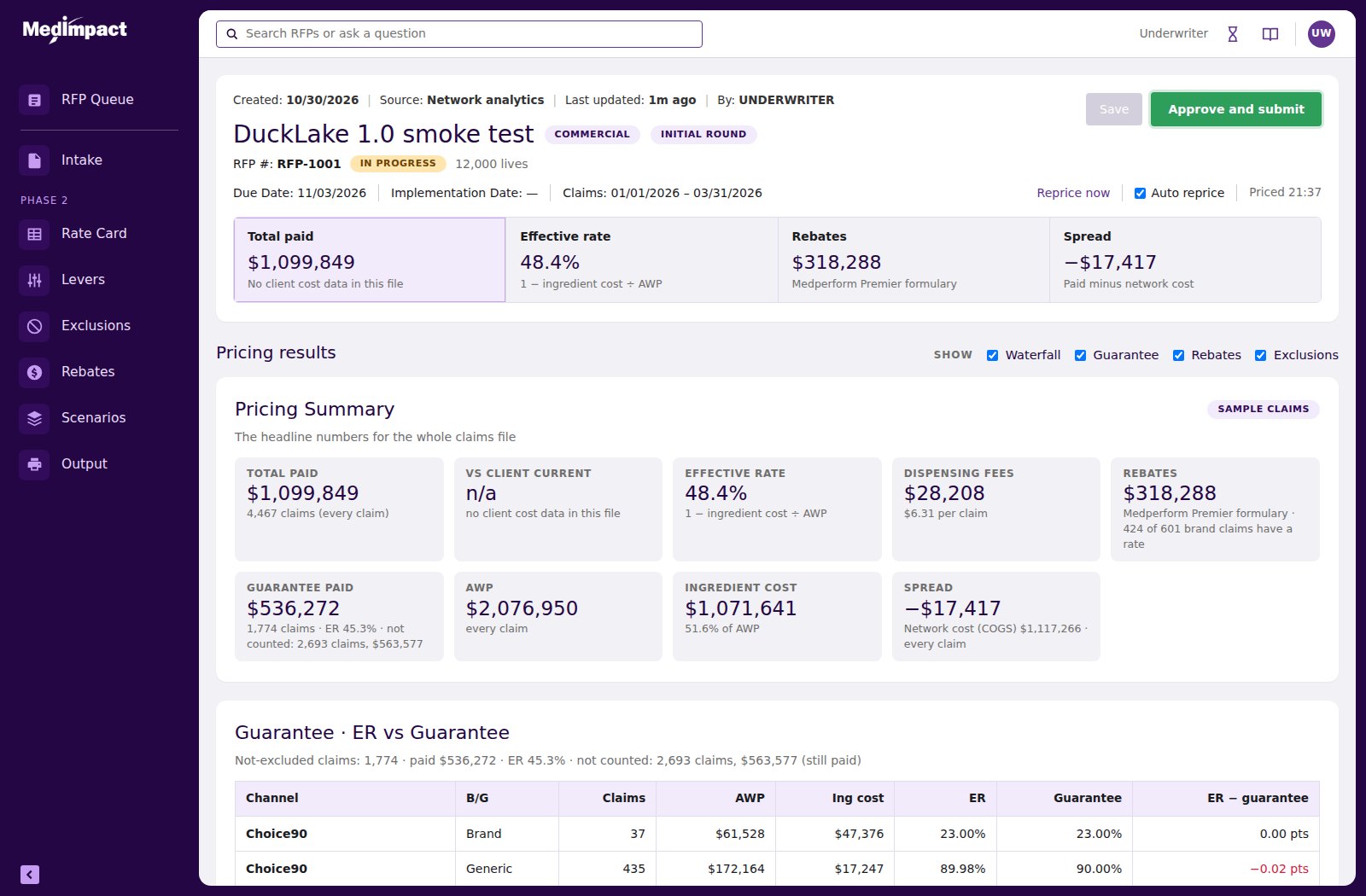
The goal was a prototype that looks and behaves like the real product, not a generic approximation. Our design system lives in Figma, so the exports were the bridge.
How it was done
- I exported the relevant Figma frames: expanded and collapsed menu with hover and active states, a search screen, an overview and a Level 3 detail screen.
- Those exports were analysed programmatically — sampling pixel colours from specific regions to derive exact values for navigation, active states, accents, rules, badges and status colours, then measuring the spacing and sizing patterns.
- The reusable parts were identified from the frames: collapsible left nav with icon chip and accent bar, top bar with search, header card, tabs with an underline, label-over-value fields, lilac-header tables, status pills, filled and outlined buttons.
- Tokens became CSS custom properties and components became shared render functions, so every new screen inherits the system instead of reimplementing it.
- I compared each build against the Figma frames and sent back annotated screenshots. Corrections were applied to the shared component, never to the one screen where I spotted the problem.
Honest limit: AI works from image exports and cannot see the rendered page. Visual fidelity here rests on my review against the frames, and I would describe it that way to anyone who asked.
The Pivot That Proves The Point
Halfway through, the operating model changed. The original requirements described four specialist roles sharing a queue — Intake, Rebate, Specialty, Underwriting — with red and green check columns and an approval gated on all of them. A working session with the product owner replaced that with a single underwriter who owns the record end to end, fed by automated intake from network analytics, CRM and monitored email.
In a frame-based prototype that is a redraw. Every affected screen, every variant, every prototype link. In practice it is the moment a prototype stops keeping pace with the project and quietly becomes a picture of an earlier idea.
Here the rules changed once and the product reflowed. Roles removed, statuses derived differently, intake automated with the manual path demoted to a visible break-glass exception, approval re-gated on claim-file validation instead of role checks. One build. The previous version stayed intact, so the earlier model can still be opened and compared.
That is the real argument for building prototypes as software. Not that it is faster to make — that it is cheaper to change. And requirements always change.
How I Kept Quality Up At That Speed
Two layers, and they catch different kinds of fault.
Automated checks before every hand-off
Each build was driven in a headless browser: open the page, click through the flows, fill the fields, upload files, assert the results. The largest run was sixty-three checks. It caught an initialisation-order fault that would have stopped the page loading, and a helper function deleted during a rewrite that would have broken the unsaved-changes dialog — both before anyone saw them.
My own eyes for everything else
Three of the six recorded defects were found only because I looked at the result and sent a screenshot. Tooltip text running out of its box because table cells forbade wrapping. A demo file in Needs review that could never pass Re-check, because blank dates cannot be fixed by mapping. Mappings chosen on one file silently applying to the next, wrongly blocking a new upload. No test suite judges any of those.
What I would want you to take from that
Automation checks behaviour; people check judgement. I treat AI output as work to be reviewed, with tests and a human in the loop. That is what makes this speed safe rather than reckless, and it is the part of AI-assisted practice that most teams skip.
Impactful Conclusions!
What the approach delivered
- 13 numbered builds, none overwritten, so any version can still be opened and compared
- 33 requirements, each traced back to the recording, call note, screenshot or direction that produced it
- About 80 minutes of recorded sessions analysed into that requirement set, alongside transcripts and screenshots
- 23 design tokens and 10 component families extracted from Figma exports and applied across every screen
- 63 automated checks in the largest test run, before hand-off
- One build to absorb a change from four roles to one, with the old model preserved
- Most revisions delivered inside the same working session they were requested
Scope and honest limits
This is a prototype and I describe it as one. Pricing figures are illustrative — they scale a sample claims file. Claim-file mapping suggestions are simulated with alias rules; real parsing would come from the data platform. There is no back end; data lives in the browser session and a refresh resets it. It is prototype-grade code, not production code, and I would not hand it to engineering as anything else.
Where it goes next
Moderated usability sessions with underwriters using their own claim files. Connecting real parsing, mapping suggestions and the pricing engine. Syncing the extracted tokens back into Figma variables so design and prototype share one source. Completing the Phase 2 scope against the same components. Then an accessibility audit and the component inventory handed to engineering.